
What a worker has
Create a worker
The Team tab’s two-step wizard makes adding a worker quick.1
Pick a template
Start from a template — backend engineer, frontend engineer, QA tester, devops, researcher, or custom. Each seeds a sensible role and capabilities.
2
Configure
Set the name, role, capabilities, model, and a monthly budget. Save persists the identity and records a config revision.
Worker config is strict about secrets: raw API keys are rejected. Reference secrets as
${env:VAR_NAME} so credentials never land in a saved worker config.Adapters
A worker dispatches through exactly one of three adapter types. Anything that wraps an external runtime does so as aprocess adapter — there are no other types.
claude-local
Spawns the Claude CLI locally.
codex-local
Spawns the Codex CLI locally.
process
A generic managed subprocess for a long-lived or out-of-tree worker runtime.
Budgets and heartbeats
Budgets are soft
Each worker has a monthly cap tracked per worker and across the team. Nothing blocks execution when a cap is hit — the UI surfaces a warning chip so you can step in.
Heartbeats are optional
A worker with a heartbeat stays “always running”; with it off, the worker only comes to life when the CTO wakes it or a Linear workflow dispatches to it.
Basic flow
1
Ask the CTO for a plan
Describe the goal and ask how it should be split.
2
Approve the shape
Confirm lanes, worker roles, and validation expectations.
3
Let workers execute
Each worker runs in its own lane. Watch active sessions and runs from Work, Lanes, and History.
4
Review the output
Inspect diffs, tests, proof, and PRs before merging.
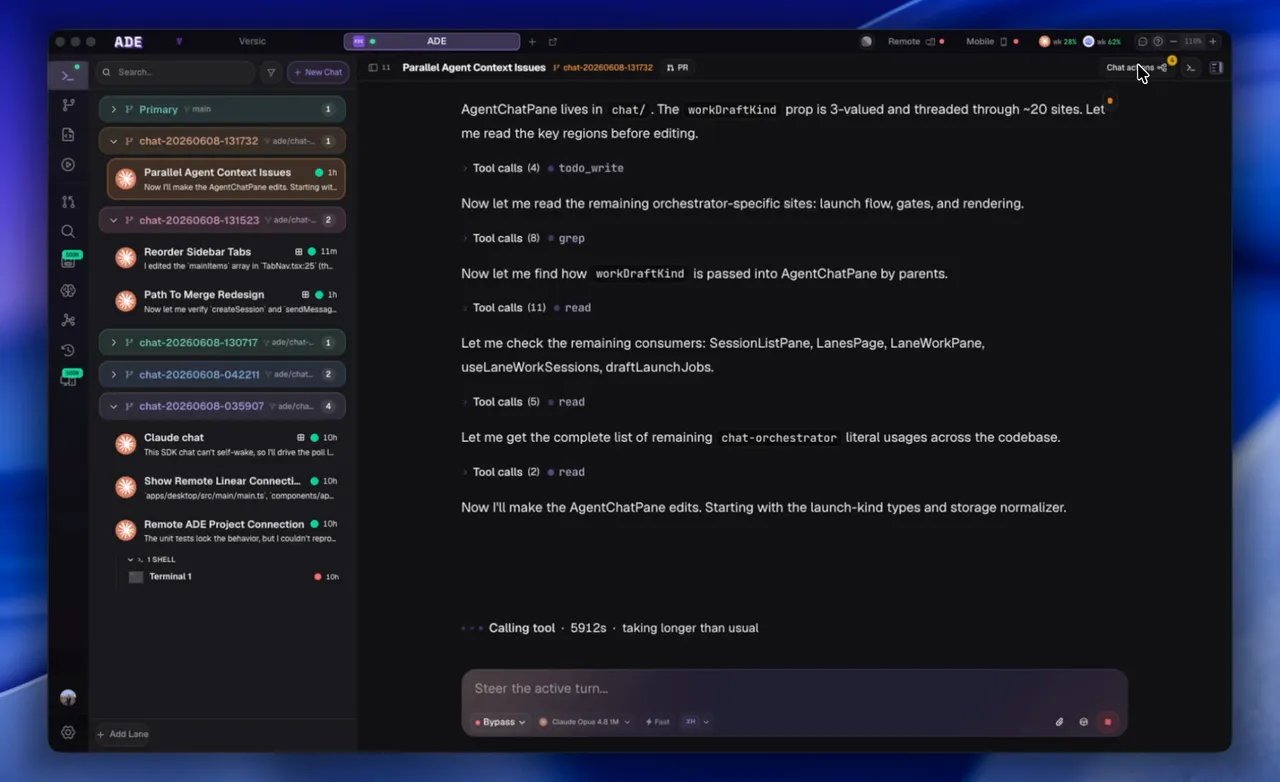
The CTO dispatches work to its team and surfaces their activity.
Workers are still coding agents. Review their output like any other contribution — nothing merges without your review.
CTO overview
How the project-level operator plans and delegates.
Multi-agent setup
Patterns for splitting work cleanly across agents.