> ## Documentation Index
> Fetch the complete documentation index at: https://ade-ac1c6011-release-v1-2-8-changelog.mintlify.site/llms.txt
> Use this file to discover all available pages before exploring further.
# CTO
> The CTO is ADE's persistent, project-level operator — one per project. It keeps context across every lane, plans work, and delegates to workers.
The **CTO** is ADE's persistent, project-level operator: one identity per project, not a rotating set of chats. While a lane chat works inside a single worktree, the CTO sees the whole project — every lane, PR, and connected Linear issue — and reasons across them. It carries an identity and persona, continuity across long sessions, plans, and a team of **workers** it delegates execution to.
Reach for the CTO when a question or task spans more than one lane, needs planning, or should be handed to workers and tracked to completion.
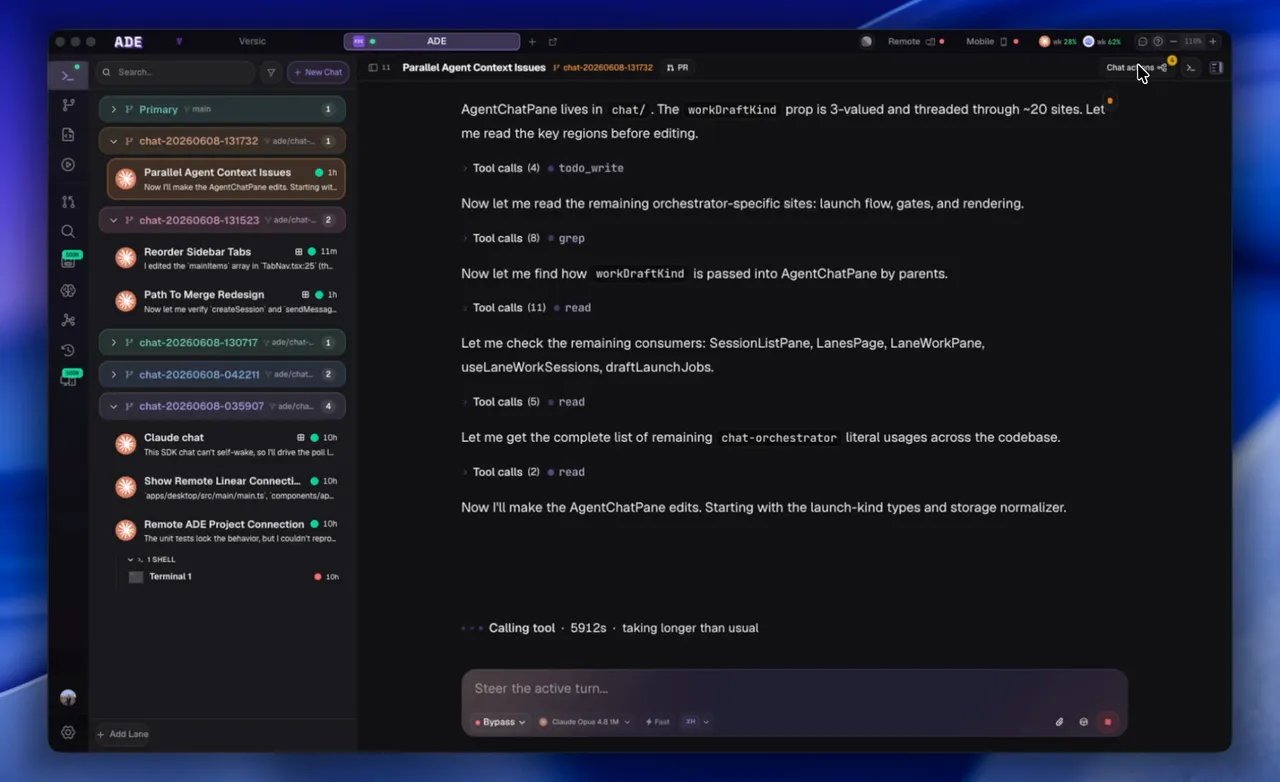 ## What the CTO is
One CTO per project with a name, personality preset, and continuity that survives long conversations — not a fresh chat each time.
It reasons across every lane, PR, and connected Linear issue, instead of one worktree at a time.
Splits a plan into scoped tasks and hands each to a worker that runs in its own lane.
When Linear is connected, the CTO triages issues, dispatches the work, and syncs status back.
## CTO vs. lane chat
The CTO doesn't replace lane chats — it sits above them. A lane chat edits files in one worktree; the CTO plans the work, splits it into lanes, hands pieces to workers, and summarizes the result. Pick whichever matches the altitude of your question.
| Use a lane chat when | Use the CTO when |
| ------------------------------------ | ------------------------------------------- |
| You know the specific lane and task. | The work spans several lanes or issues. |
| You want one agent to edit files. | You want planning, routing, or delegation. |
| You're debugging a local failure. | You need project-wide state summarized. |
| The change fits in one review. | You want issues run end to end from Linear. |
The CTO lives in its own **CTO** tab, organized into Chat, Team, Workflows, and Settings. The Chat surface is light by default — Team, Workflows, and Settings load only when you open them.
## How delegation works
Ask the CTO for a plan, approve the shape, and it dispatches the work to **workers** — scoped agents it delegates to, each running in its own lane. You watch the lanes fill in from Work, Lanes, and History, then review diffs and PRs as they land. Nothing merges without your review.
The CTO proposes a split into lane-sized tasks.
Each task goes to a worker running in its own lane.
The CTO reports progress, risk, and what's ready to ship.
Workers are agent identities with roles, model settings, budgets, and activity history. See [Workers](/cto/workers) for the operational model.
Ask the CTO for a plan before asking it to delegate. A clean split into small, independent lanes saves time and reduces review noise.
Pick a provider and persona, connect GitHub and Linear, and add workers.
Manage the scoped agents the CTO delegates to.
## What the CTO is
One CTO per project with a name, personality preset, and continuity that survives long conversations — not a fresh chat each time.
It reasons across every lane, PR, and connected Linear issue, instead of one worktree at a time.
Splits a plan into scoped tasks and hands each to a worker that runs in its own lane.
When Linear is connected, the CTO triages issues, dispatches the work, and syncs status back.
## CTO vs. lane chat
The CTO doesn't replace lane chats — it sits above them. A lane chat edits files in one worktree; the CTO plans the work, splits it into lanes, hands pieces to workers, and summarizes the result. Pick whichever matches the altitude of your question.
| Use a lane chat when | Use the CTO when |
| ------------------------------------ | ------------------------------------------- |
| You know the specific lane and task. | The work spans several lanes or issues. |
| You want one agent to edit files. | You want planning, routing, or delegation. |
| You're debugging a local failure. | You need project-wide state summarized. |
| The change fits in one review. | You want issues run end to end from Linear. |
The CTO lives in its own **CTO** tab, organized into Chat, Team, Workflows, and Settings. The Chat surface is light by default — Team, Workflows, and Settings load only when you open them.
## How delegation works
Ask the CTO for a plan, approve the shape, and it dispatches the work to **workers** — scoped agents it delegates to, each running in its own lane. You watch the lanes fill in from Work, Lanes, and History, then review diffs and PRs as they land. Nothing merges without your review.
The CTO proposes a split into lane-sized tasks.
Each task goes to a worker running in its own lane.
The CTO reports progress, risk, and what's ready to ship.
Workers are agent identities with roles, model settings, budgets, and activity history. See [Workers](/cto/workers) for the operational model.
Ask the CTO for a plan before asking it to delegate. A clean split into small, independent lanes saves time and reduces review noise.
Pick a provider and persona, connect GitHub and Linear, and add workers.
Manage the scoped agents the CTO delegates to.